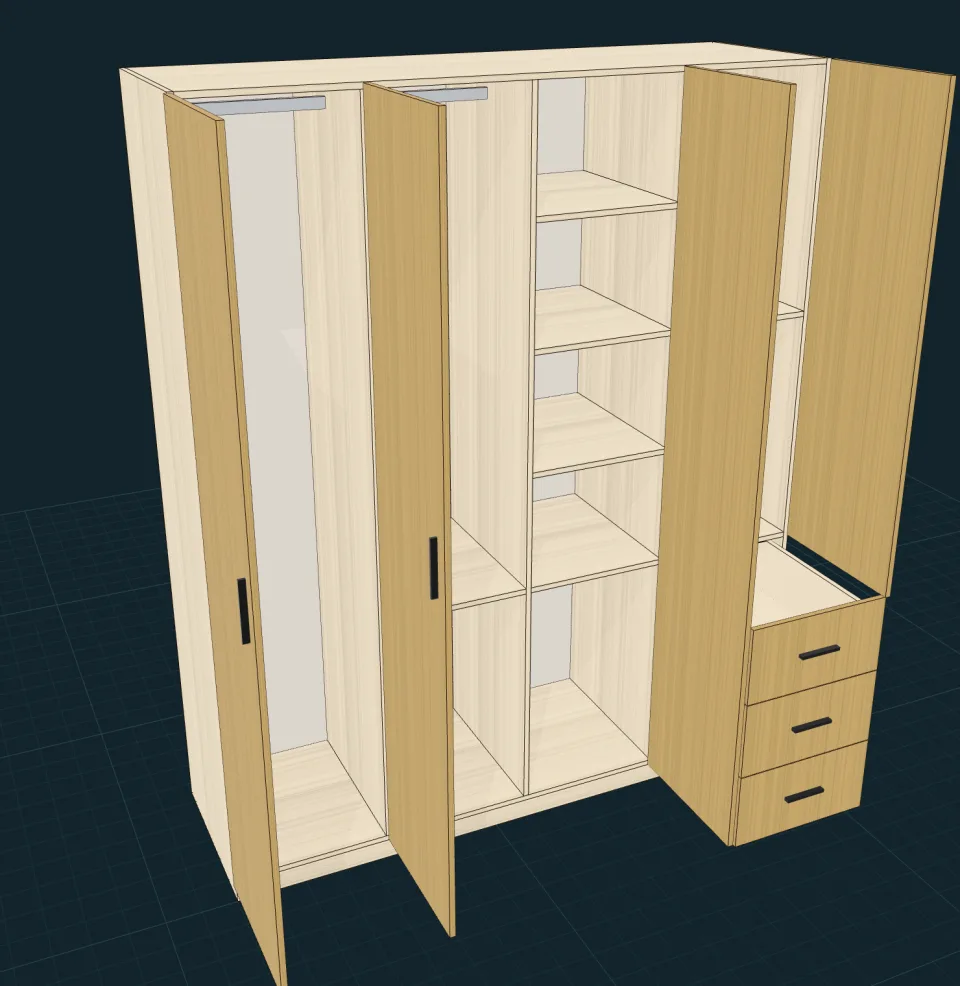
Design in 3D
Start from a template or plain dimensions. Add doors, drawers, shelves and dividers. Every panel keeps its real thickness and edge banding.
Panflo turns a 3D cabinet, or a photo of one, into parts lists, cutting diagrams and CNC drilling. It runs in your browser.
Change a dimension and everything below updates with it.
Start from a template or plain dimensions. Add doors, drawers, shelves and dividers. Every panel keeps its real thickness and edge banding.
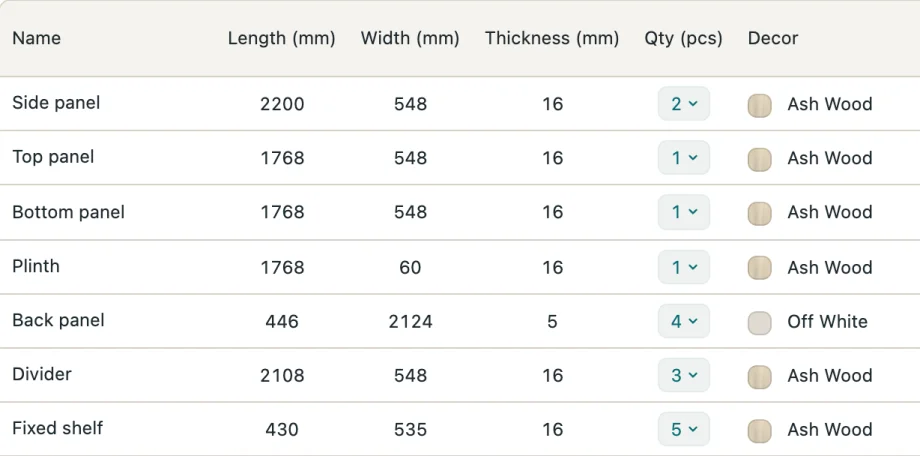
Every panel sized to a tenth of a millimetre, edge banding already deducted. Export to Excel or PDF.
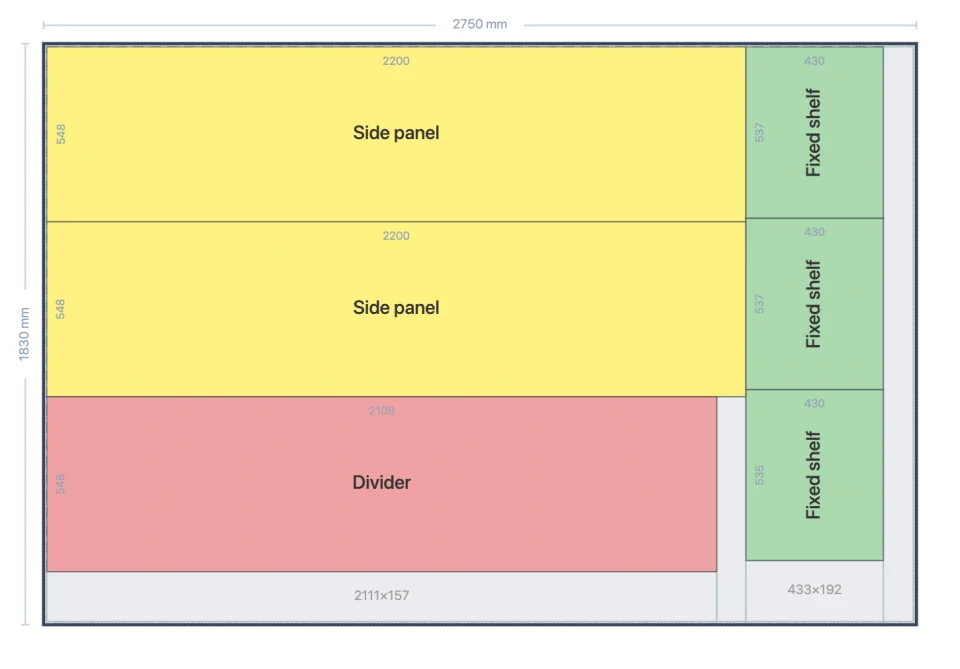
Guillotine or nesting layouts on your own sheet sizes, with kerf, edge trim and grain direction accounted for.
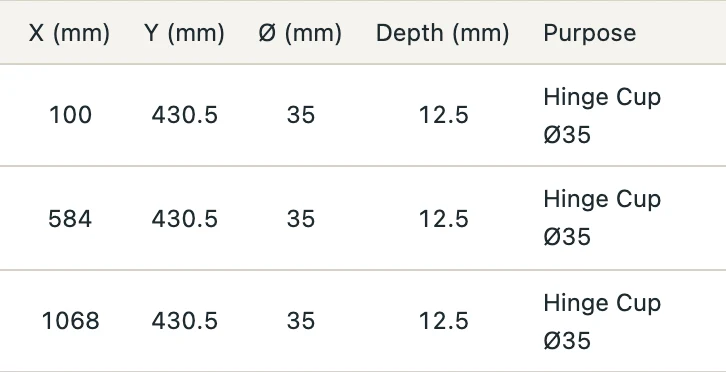
Hinge, cam and shelf-pin holes on every panel, with CNC files and a hardware count.
Offcuts are kept for the next job.
Panflo reads the structure and builds a full 3D cabinet with real panels. It is a model you can change and cut, not a picture.
Also works in Telegram: @PanfloBotEnglish, Russian, Uzbek, Kazakh and Chinese. Everyone on the team picks their own.
Prices and quotes in UZS, KZT, RUB or USD.
Your sheet sizes, decors, edge bands and hardware, at your own prices.
Any laptop with a browser. Share a link with the client or the workshop.